
Demos
Below are some small demos.
Semantic Search based on Vectorstores
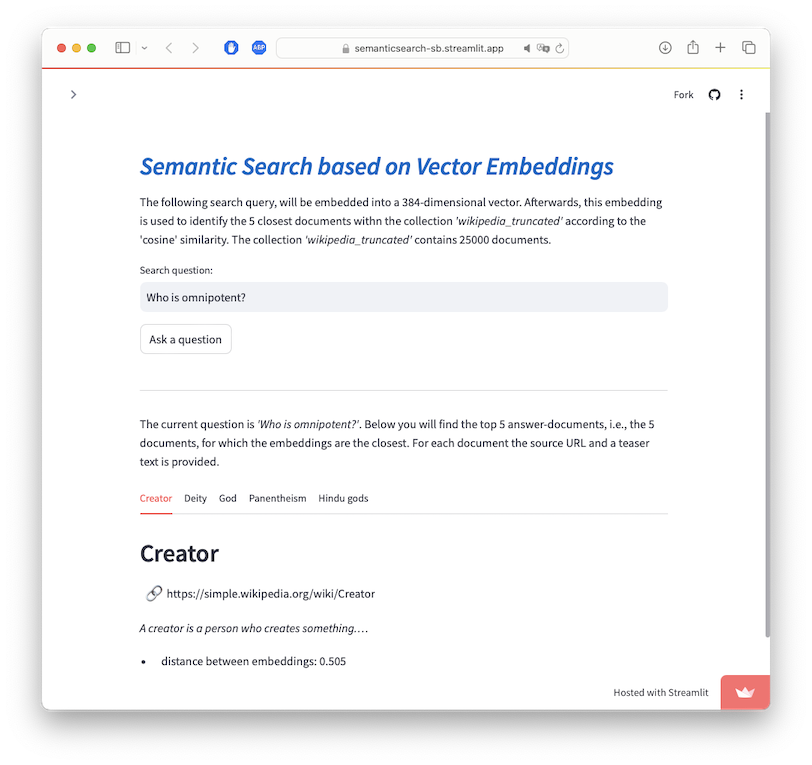
This demo illustrates how to perform semantic search based on the ChromaDB vector store. ChromaDB includes embedding models and vector search, i.e., we can embed documents into a vector space and later retrieve documents based on vector similarity.
For this notebook, we will use a preprocessed collection of wikipedia articles provided by OpenAI. That collection contains the content of 25.000 wikipedia articles in simple english (~700MB zipped, 1.7GB CSV file). The file is available for download here. It contains an ID, the source URL, title, fulltext and two embeddings - one for title and one for the content of the page, e.g.:
- ID: 1
- url: https://simple.wikipedia.org/wiki/April
- title: April
- title_vector: [0.00100, -0.02070, ...]
- content_vector: [-0.011034, -0.013401, ...]
Those embeddings were created using OpenAI's text-embedding-ada-002 model.
This embedding could be used in principle to embed the queries and directly retrieve the related document, but we would need an OpenAI API key to do so.
Therefore we will re-create our own embeddings using the ChromaDB vector store.
While adding a document into that vector store, it will be embedded automatically.
We used the standard configuration, which computes embeddings using the Sentence Transformers all-MiniLM-L6-v2.
Below you will find the Jupyter Notebook to create the vector store, and a life demo via StreamLit:
- semantic_search.ipynb: This notebook shows how to convert the texts contained in the datafile and perform a search using the embeddings.
- online demo: This online demo shows the semantic search as a streamlit application (might take a few minutes to startup)
- code for the online demo: Simply out this file in the same folder as the Notebook (i.e., in the folder containing the ChromaDB) and run it via
streamlit run semantic_search.py
This demo has been developed for my Talk “Einführung Neuronale Netze / Wordembedding / Attention” at the “Big Data Workshop 3.0 – LLMs”.